Dazz Cam for Android: the honest answer, and a great alternative
If you have been searching Google Play for Dazz Cam and coming up empty, you are not doing anything wrong. Here is what is actually going on, and what to use instead.
Dazz Cam is an iOS-only app. It is not published on the Google Play Store, and there is no official Android version. If you are on Android and you want the same CCD digicam, film and disposable camera looks, you need a different app.
Rumi Cam is built for both platforms: 14 camera simulations covering CCD digicam, film, disposable and camcorder looks, rendered live in the viewfinder instead of applied as a filter afterwards. Free to download, six cameras included, nothing uploaded off your phone.
Why you cannot find it on Google Play
Dazz Cam has only ever shipped on the App Store. Its developer has not released an Android build, so there is nothing to install from Google Play and no amount of searching will turn one up.
That leaves Android users in an awkward spot. The look is everywhere on social media, the app name gets recommended constantly, and then the Play Store has nothing to give you. Searching harder will not help, and neither will the APK mirror sites that rank for the term: files from those sources are not reviewed by Google Play, do not update, and are not worth the risk for a camera app that wants access to your photos.
If you want the wider comparison rather than the Android angle specifically, see Dazz Cam alternatives in 2026.
The looks themselves are not exclusive to any one app, though. Simulating an old camera is a technique rather than a product, and it works just as well on Android. Rumi Cam is the app we build, so the rest of this post is a straight account of what it does and what it costs.
What you actually want from a retro camera app
Put the app names aside and the requirement is almost always one of four looks:
- The 2000s digicam look — the slightly soft, slightly green, hard-flash photo that looks like it came off a compact camera in 2004.
- Film simulations — warm, faded colour that reads as 35mm rather than as a phone photo.
- Disposable camera shots — high contrast, heavy flash, visible grain.
- Light leaks and lens effects — the orange and red streaks that make a photo look like it escaped from a shoebox of old prints.
Rumi Cam covers all four, on Android and iPhone alike. Here is how.
What Rumi Cam gives you
Rumi Cam ships 14 camera simulations. Each one is a full camera rather than a filter: colour response, resolution, grain, bloom and vignette are tuned together to imitate a specific kind of device, and the result is rendered live in the viewfinder. What you frame is what you get, which is the part that makes shooting feel like using an old camera rather than editing a photo afterwards.
For the 2000s digicam look
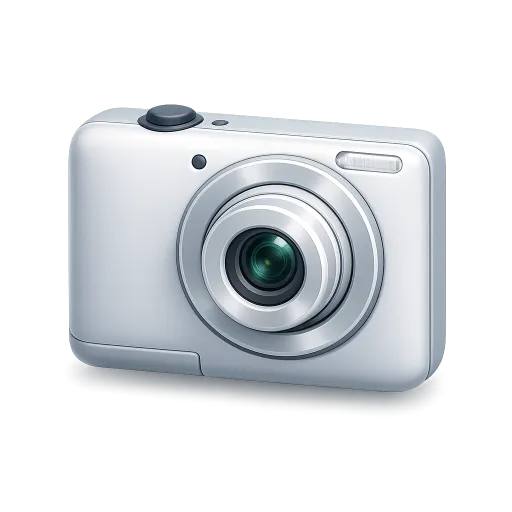
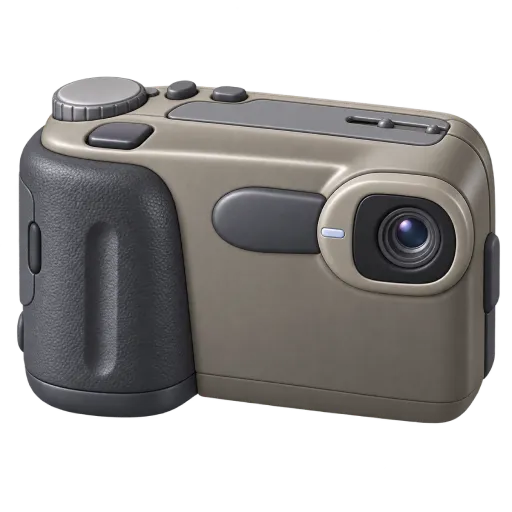
CCD is the one most people are after: the colour shift, the noise and the flash response of an early digital compact. G7X is the cleaner, more modern compact take. QT200 goes much further back, to the very low-resolution end of early digital. 4S reproduces an early iPhone camera, and NK does the same for an old phone camera of the Nokia era.
 CCD
Early digital compact, green-cyan shift
CCD
Early digital compact, green-cyan shift
 QT200
Very early digital, low resolution
QT200
Very early digital, low resolution
 4S
Early iPhone camera
4S
Early iPhone camera
For film and disposable
Fuji, KDK and CNN cover the big film colour families, and each of them lets you swap between several different rolls rather than locking you to one look. There are two single-use cameras: Disposable for the soft, hazy version with heavy dark corners, and FQS for a punchier, higher-contrast one — covered in detail in the disposable camera guide. XA leans towards a Japanese film stock look, and HC is the camcorder, for when you want video that looks recorded rather than filmed.
For leaks and lens effects
Rumi Cam calls these accessories. Lens Leak adds the streaks of light across the frame, with ten different variants and a shuffle button so your shots do not all carry an identical overlay. Fisheye and Prism are optical effects, also applied live.
The parts that matter beyond the looks
Everything renders live. The camera is applied to the viewfinder, not to the file afterwards, so you are composing the finished photo. You see the flash falloff, the colour shift and the grain while you are still deciding where to stand, which is the difference between choosing a look and accepting whatever a preset does to your photo.
Your photos stay on your phone. Every shot is processed on the device. Nothing is uploaded, and there is no account to create before you can take a picture.
You still get real controls. Exposure and white balance are adjustable, along with aspect ratio (1:1, 3:4, 2:3, 9:16 and 4:5), a timer, flash, and switching between the ultra-wide, wide and telephoto lenses. A retro look does not have to mean giving up the camera.
Video works the same way. Switch to video mode and the camera simulation applies exactly as it does to stills. The HC camera is built for this specifically — it is a camcorder rather than a photo camera.
No watermark, no date stamp. Nothing is burned into your photos, so what you share is the photo rather than an advert for the app that took it.
Getting the look on Android in four steps
- Install Rumi Cam from Google Play and give it camera access.
- Swipe the camera carousel to a camera. Start with Disposable or NK — both are free and both read instantly as "not a phone photo".
- Set the aspect ratio to 3:4. Old cameras were not widescreen, and this single change does a surprising amount of the work.
- Turn the flash on rather than leaving it on auto, and shoot closer to your subject than feels natural. Direct flash is the signature of the era.
If you want to check a look against a photo you already have, Pro includes photo editing, which re-processes an existing shot through any of the cameras.
What is free and what is Pro
Rumi Cam is free to download and six of the fourteen cameras are free to use: Original, NK, XA, Disposable, G7X and Fuji. That is enough to cover the disposable look, an old phone camera, a film look and a clean compact without paying anything.
Pro unlocks the other eight cameras — including CCD, 4S, KDK, CNN, QT200, FQS, Fuji X and HC — plus every film roll, the three accessories, and photo editing. It is available monthly, yearly or as a one-off lifetime purchase. The exact free set can shift as new cameras launch, so check in the app for what is currently unlocked.
Dazz Cam and Rumi Cam at a glance
| Dazz Cam | Rumi Cam | |
|---|---|---|
| iPhone | Yes | Yes |
| Android | No — not on Google Play | Yes — free on Google Play |
| Camera simulations | Yes | 14, applied live in the viewfinder |
| Swappable film rolls | Yes | On the Original, Fuji, KDK and CNN cameras |
| Light leak effects | Yes | Lens Leak, 10 variants with shuffle |
| Video | Yes | Yes, including a camcorder camera |
| Free tier | Yes, with paid unlocks | 6 of 14 cameras free |
Rumi Cam runs on Android
Fourteen cameras, live in the viewfinder. Free to download on both stores.


Frequently asked questions
Is Dazz Cam available on Android?
No. Dazz Cam is an iOS-only app and is not published on the Google Play Store. There is no official Android version.
What is the best Dazz Cam alternative for Android?
Rumi Cam runs natively on Android and iPhone and covers the same ground: 14 camera simulations spanning CCD digicam, film, disposable and camcorder looks, all applied live in the viewfinder before the shot is taken.
Is Rumi Cam free on Android?
Yes, it is free to download, and six cameras are free to use: Original, NK, XA, Disposable, G7X and Fuji. Pro unlocks the remaining eight cameras, all film rolls, the accessories and photo editing.
Should I download a Dazz Cam APK from a third-party site?
No. APKs from mirror sites are not reviewed by Google Play, receive no updates and carry real risk — particularly for an app you are about to give camera and storage access. Use an app that is properly published on the Play Store instead.
What Android version do I need?
Rumi Cam requires Android 7.0 or later, which covers essentially every phone still receiving apps from Google Play.
Do the photos get uploaded anywhere?
No. Rumi Cam processes every shot on the device itself. See the privacy policy for details.