Camera apps worth trying in 2026
Nine apps that each do something the stock camera cannot, grouped by what you actually want out of them — with honest notes on where each one falls short.
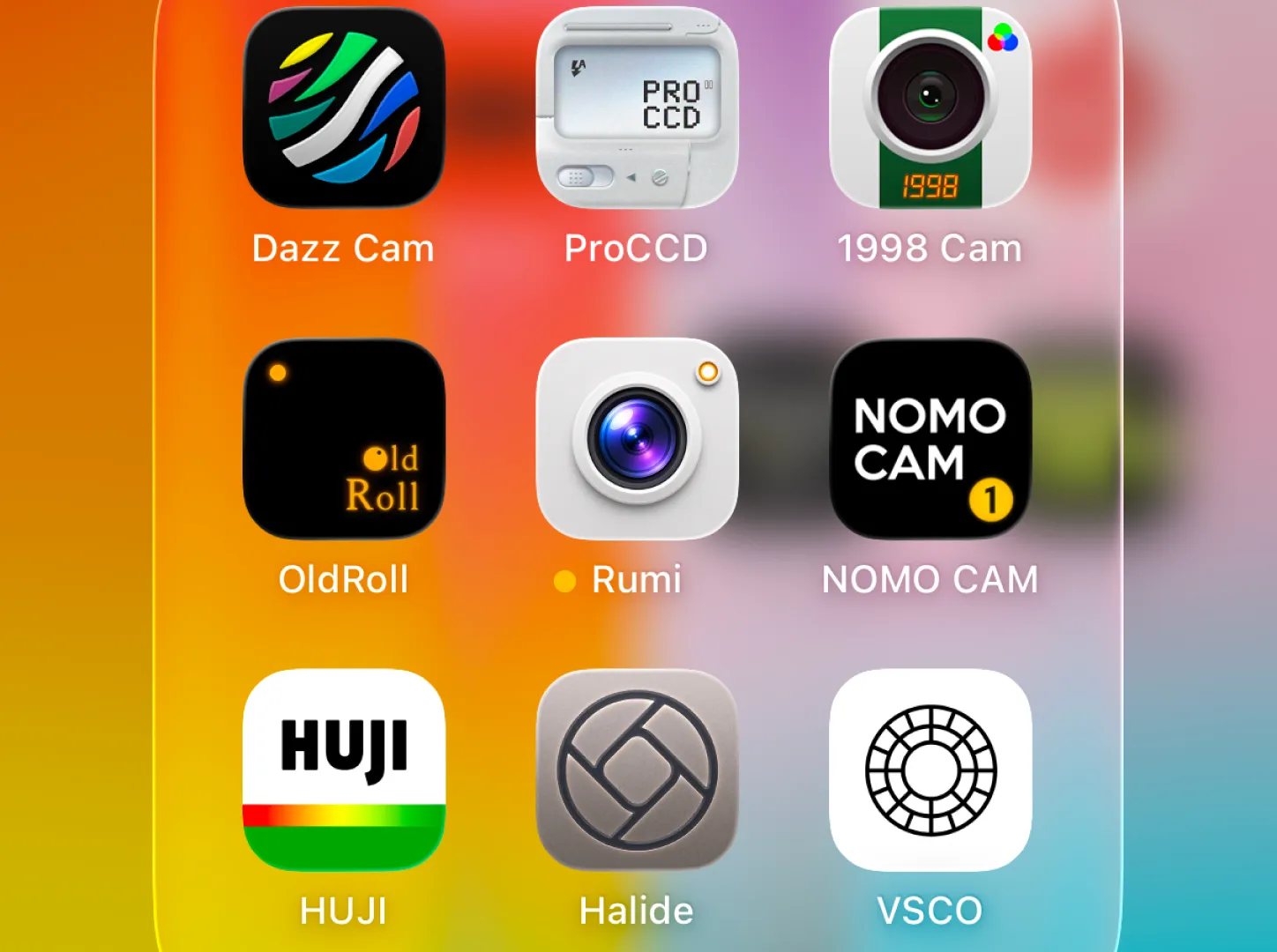
For manual control: Halide Mark III. For video: Kino. For retro and film looks: Rumi Cam, Dazz Cam, OldRoll, NOMO CAM, Huji Cam or 1998 Cam depending on how much choice you want. For editing afterwards: VSCO.
If you are on Android, note that Halide, Kino and Dazz Cam are iOS-only. The rest of this list runs on both platforms.
Phone cameras have got so good that the interesting question is no longer "which app takes the sharpest photo" — they all use the same sensor. The question is what each app lets you do that the built-in camera will not: give you real manual control, or apply a considered look at the moment of capture, or simply make shooting feel like something other than tapping a white circle.
These are grouped by intent rather than ranked, because "best" genuinely depends on which of those you are after. Full disclosure: Rumi Cam is ours. It is in the list because it belongs there, and it is described the same way as everything else, limitations included.
For full manual control
Halide Mark III
The serious photographer's camera app, and the best executed one on the platform. Manual focus with proper focus peaking, full RAW capture, histogram, and a genuinely thoughtful interface that puts controls under your thumb rather than behind menus. Recent versions added colour grades and its own take on HDR, so it is no longer purely a capture tool.
Platform: iPhone and iPad only. Price: paid, by subscription
or one-off purchase.
The catch: it is the most expensive app here, and if you are not going to
shoot RAW or pull focus manually you will not use most of what you are paying for.
For video
Kino
From the same team as Halide, and built entirely around video. Log recording, proper exposure tools, and built-in colour presets made by working colourists, so footage looks graded coming straight off the phone instead of needing a pass in an editor.
Platform: iPhone only. Price: paid.
The catch: it is a video app, full stop. If you want stills, you want Halide
instead.
For retro, film and camera simulation
This is the busiest category by far, and the apps in it differ mainly along one axis: how much choice they give you. At one end are apps that apply a single fixed look with no settings at all. At the other are apps with dozens of cameras to pick between.
Rumi Cam
Fourteen camera simulations, each rendered live in the viewfinder rather than applied afterwards — the colour response, resolution, grain, bloom and vignette are tuned together to imitate a particular kind of device. The range runs from an Original camera that only grades colour and leaves iPhone sharpness intact, through film and disposable looks, to early digital cameras and a camcorder. Four of the cameras carry several swappable film rolls, and there are lens accessories: Lens Leak, Fisheye and Prism.
Platform: iPhone and Android. Price: free with six cameras
included; Pro unlocks the rest, monthly, yearly or lifetime.
The catch: the cameras use short codes rather than plain names, so it takes a
few minutes of swiping to learn which is which. There is no date-stamp overlay if that is
something you want.
Dazz Cam
One of the apps that defined this whole category, and still one of the best-looking. A deep library of camera and film effects, light leaks and video looks, with a strong sense of visual identity throughout.
Platform: iPhone only. Price: free with paid unlocks.
The catch: there is no Android version, and searching for one on Google Play
is genuinely confusing — we
wrote about that separately.
OldRoll
The widest selection of anything here: digital, film and instant camera styles, including fisheye and Super 8 video, all in one place. If you like having a lot to choose between and enjoy browsing, this is the one.
Platform: iPhone and Android. Price: free with paid
unlocks.
The catch: the sheer number of options can be paralysing, and the interface is
busier than its competitors.
NOMO CAM
The most restrained app in this group. Each camera is presented as a physical object with its own fixed behaviour, and you shoot it rather than configure it. Some cameras even make you wait before showing you the photo, which sounds annoying and is actually rather good for your photography.
Platform: iPhone and Android. Price: free with paid
cameras.
The catch: deliberately limited. If you want to adjust things, this will
frustrate you.
Huji Cam
The original viral disposable camera app, and still the fastest way to a recognisable look. One camera, built around a late-1990s single-use film camera, with a tiny viewfinder and near-zero settings.
Platform: iPhone and Android. Price: free, with ads and
in-app purchases.
The catch: it does exactly one thing, the look is extremely recognisable at
this point, and it has not changed much in years.
1998 Cam
A 90s camera, film editor and retro video camera bundled into one workflow, with the aggressive contrast and saturation that reads well on short-form video.
Platform: iPhone and Android. Price: free with paid
unlocks.
The catch: the looks are strong to the point of being heavy-handed, which is
great for social and less great for photos you want to keep.
For editing after the fact
VSCO
Still the reference point for phone photo editing. A large library of well-made film-inspired presets plus proper manual adjustment tools underneath them, so you can use it as a one-tap filter app or as a real editor.
Platform: iPhone and Android. Price: free tier, with most
presets behind a subscription.
The catch: the free tier has shrunk considerably over the years, and because
it edits after capture it cannot reproduce the resolution and flash characteristics that make
genuinely retro photos convincing.
At a glance
| App | Platform | Best for | Price |
|---|---|---|---|
| Halide Mark III | iOS | Manual control and RAW | Paid |
| Kino | iOS | Graded video | Paid |
| Rumi Cam | iOS, Android | Camera simulation, live in viewfinder | Free + Pro |
| Dazz Cam | iOS | Retro looks with strong identity | Free + paid |
| OldRoll | iOS, Android | The widest selection | Free + paid |
| NOMO CAM | iOS, Android | Shooting without fiddling | Free + paid |
| Huji Cam | iOS, Android | One look, instantly | Free, ads |
| 1998 Cam | iOS, Android | Bold looks for social video | Free + paid |
| VSCO | iOS, Android | Editing after capture | Free + subscription |
Prices and tiers change often, so treat that last column as a rough shape rather than a quote. Platform availability and what each app is good at are the parts that stay stable.
How to choose without installing all nine
- You want better photos, not different ones — Halide if you are on iPhone and willing to pay, otherwise a colour-only camera like Rumi Cam's Original.
- You want a specific era — an app with multiple camera simulations, so you can match the camera to the year. Rumi Cam or OldRoll.
- You want to stop thinking about it — Huji Cam or NOMO CAM. One look, no settings.
- You are on Android — cross off Halide, Kino and Dazz Cam before you start.
- You already have photos you want to fix — VSCO, or an app with a photo-editing mode.
Rumi Cam is free to try
Six of the fourteen cameras are included at no cost, on both iPhone and Android.


Frequently asked questions
What is the best camera app for a film look?
It depends on how much control you want. Huji Cam and NOMO CAM apply a fixed look with almost no settings. Rumi Cam and OldRoll give you many cameras to choose between. Dazz Cam is a strong option if you are on iPhone.
Which of these work on Android?
Rumi Cam, OldRoll, NOMO CAM, Huji Cam, 1998 Cam and VSCO are all on Google Play. Halide, Kino and Dazz Cam are iOS-only.
Do I need to pay for a camera app?
Mostly no. Most are free to download with optional paid tiers, and several are usable without paying at all. Halide and Kino are the two that require payment.
What is the difference between a camera app and a photo editor?
A camera app applies its look at capture, so the viewfinder shows the final result. An editor applies it afterwards. For retro looks the camera approach is more convincing, because resolution, noise and flash behaviour are all decided at the moment you take the photo.
How many of these should I actually install?
One or two. These apps overlap heavily, and the main cost of installing five retro camera apps is that you stop using any of them properly. Pick the one whose approach suits how you like to shoot.